intelliTRACK

Inventory & Serial Tracking

Every part accounted for, every job.

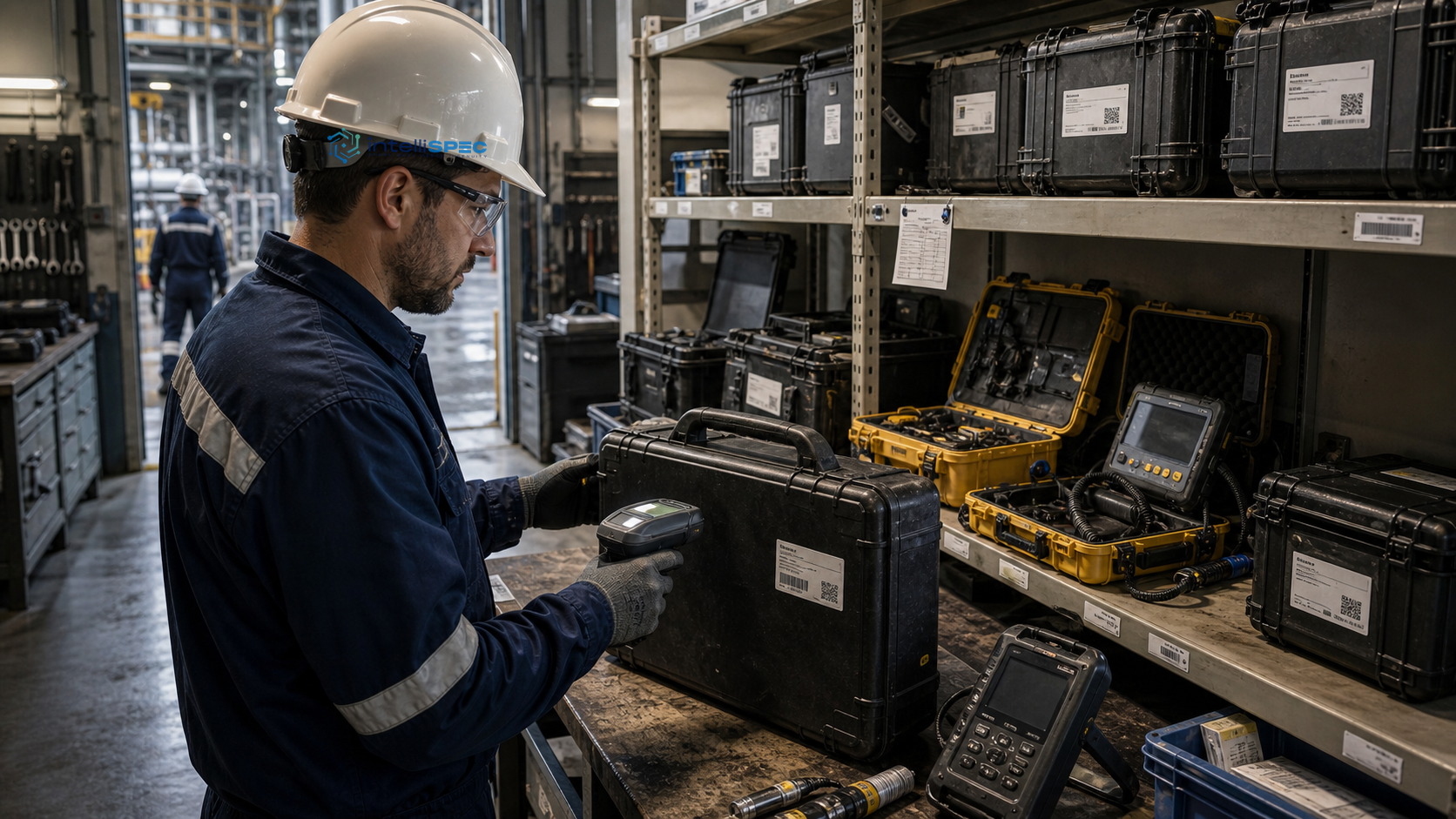
For the warehouse and the crew who share one part. Scan it in at the yard, allocate it to the work order, and check it back at closeout. The chain of custody holds.

Built in, not bolted on

The unit, tracked to the serial. Custody, layer by layer.

Each serialized unit carries its own label and custody record, from yard receipt through calibration to the work order it lands on.

  1. 01

    Receive & label

    Scan on arrival, serialize, print QR.

  2. 02

    Deploy & check

    Out and back by scan, condition captured.

  3. 03

    Calibrate & close

    Certificate and next-inspection date held.

Capabilities

Built around the work, step by step.

0101 / 04

Serial Register with QR/Barcode Labels

Scan any unit to check it in, out, or transfer, with condition and sign-off caught at each handover.

0202 / 04

Check-In, Check-Out, and Equipment Issuance

Every handover records quantity, condition, and signature, sliced by job, company, and cost center on demand.

0303 / 04

Job Allocation and Transfer to Job Site

Each part carries its job link from warehouse to install, so billable exposure accrues against the right job.


0404 / 04

Equipment Inspections and Warranty Dashboard

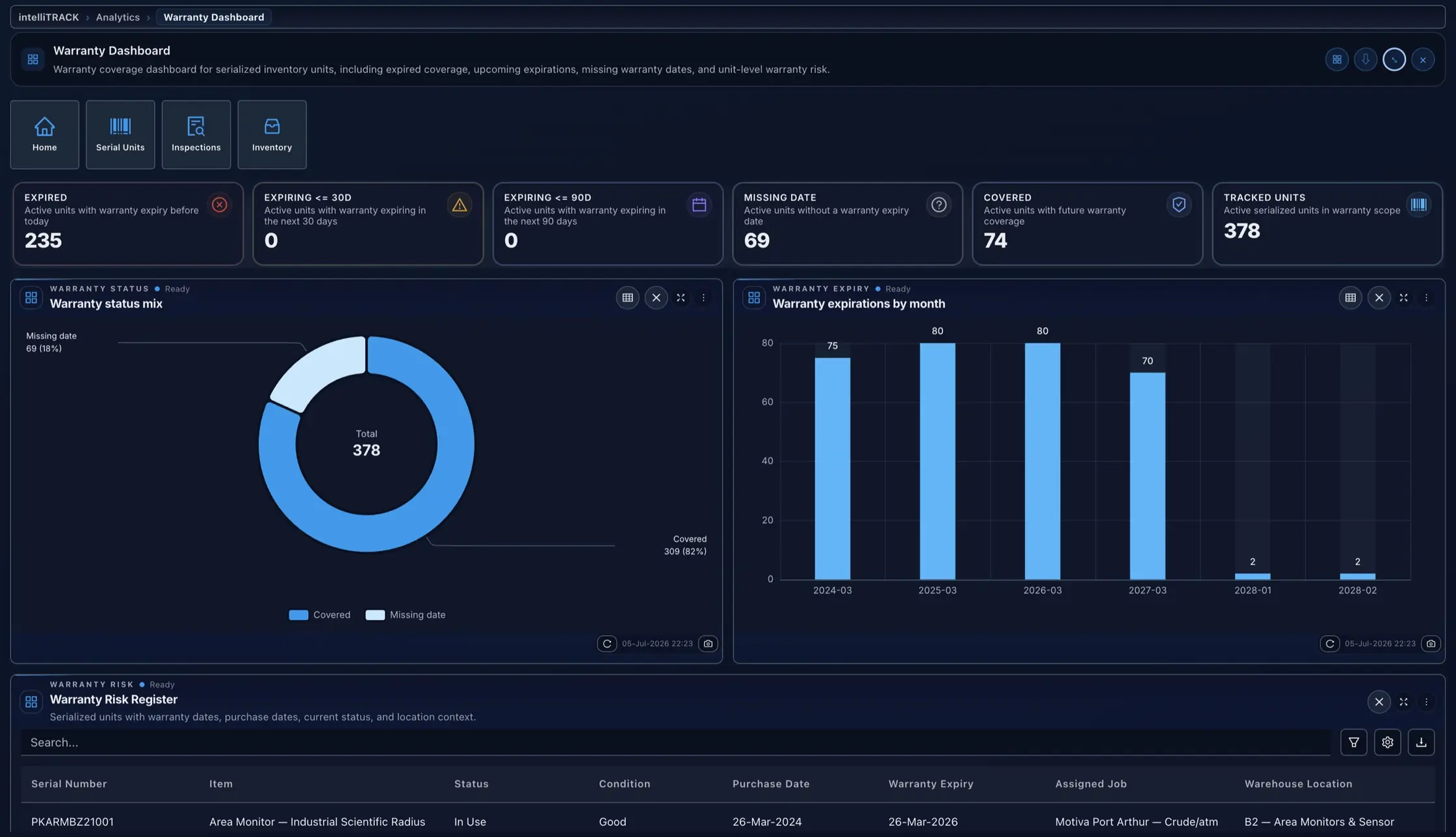
Overdue, due-soon, and missing-date units queue up before the job starts, warranty windows tracked per serial.

04 CAPABILITIES

Grounded by design

One model. Traced to the record.

  • Reads the live digital twin, not a copy
  • Cites the custody and movement record behind each result
  • Exports the full path to a result as one query

For the warehouse and the crew

Every part, tracked to the serial.

Scan it in, scan it out

Every unit serialized on arrival, each handover caught by scan, not a clipboard.

One part, one chain of custody

Each unit carries its job link from yard to install, so the chain never breaks.

Nothing lapses on your watch

Warranty, overdue inspections, and stockouts surface on one board before they cost you.

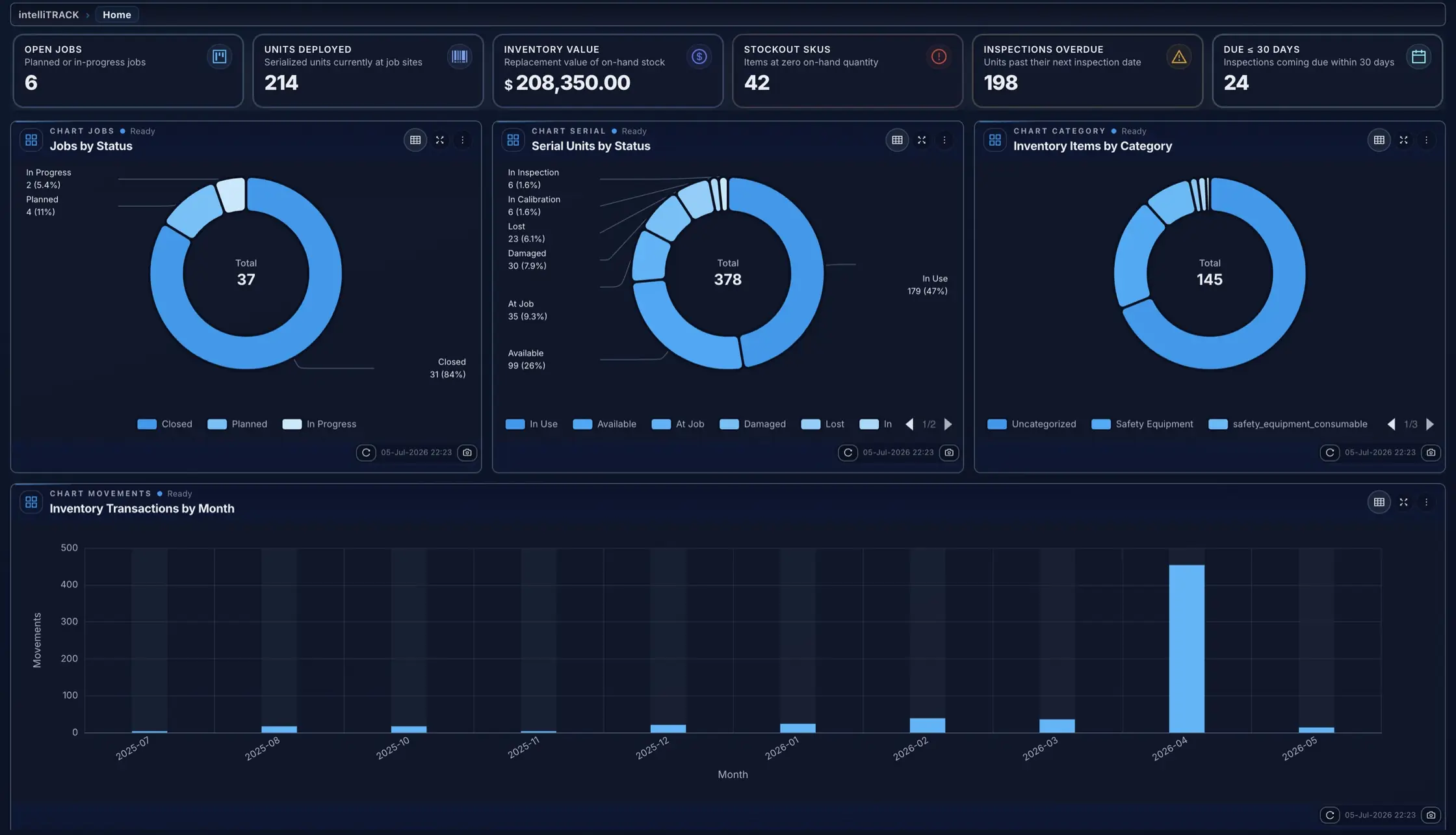
Real screens from the platform, not mockups

intelliTRACK · Operations dashboard
intelliSPEC intelliTRACK operations dashboard: jobs by status, serial units by status, inventory value, and transactions by month
intelliSPEC intelliTRACK warranty dashboard: coverage mix, expirations by month, and the serialized warranty risk register

Proof

Every serialized unit traces from yard receipt to the job it was installed on.

Answers

intelliTRACK, in plain terms.

Does intelliTRACK handle both bulk inventory and individual serialized units?

Yes. The Warehouse Inventory browser manages bulk SKUs with quantity-on-hand. The Serial Units register tracks individual barcoded units with their own status, inspection dates, and warranty records.

How does calibration compliance work at the unit level?

Each serialized unit carries a next inspection date. The Equipment Inspections dashboard queues overdue units, units due within 30 days, and units missing a date, so calibration gaps surface before the job starts.

Can intelliTRACK connect to the asset register in intelliINTEGRITY or intelliINSPECT?

intelliTRACK sits on the same asset graph as every other intelliSPEC module. The valve in inventory is the same record as the valve in the integrity or inspection program.

What does the Job Closeout wizard cover?

The wizard resolves warehouse returns, handles charge exceptions, and captures final sign-offs in a single metadata-driven workflow, no manual reconciliation across separate systems.

How does stock-out forecasting work?

Spectra, intelliSPEC's AI copilot, surfaces variance patterns across campaigns and flags calibration expirations before the job. The Inventory KPIs dashboard shows current low-stock and stockout SKUs live.

Can we import existing fleet inventory data?

Yes. The Import Data tool accepts spreadsheets for warehouse locations, inventory items, and serial units in bulk so existing fleet records migrate without manual re-entry.

See intelliTRACK on your own asset.

See the failure before it happens. Prove the work after it is done.

Your asset class, configured live. No slides.